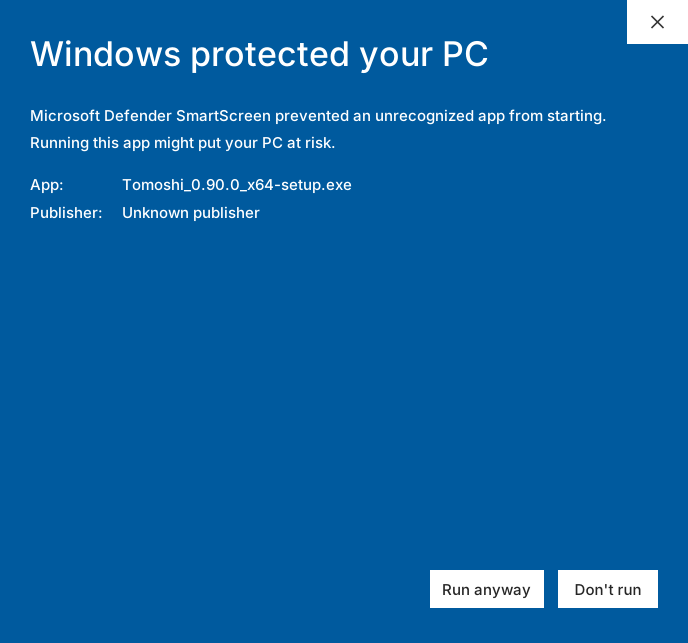






You may be stopped once or twice before it installs
Code-signing certificates are prohibitively expensive for an individual, so the build on this site is unsigned. You may be stopped once on download and once on first run. Neither prevents installation — just follow the steps below.
What these prompts mean is “this file is uncommon and its origin cannot be verified”, not “a virus was found”.
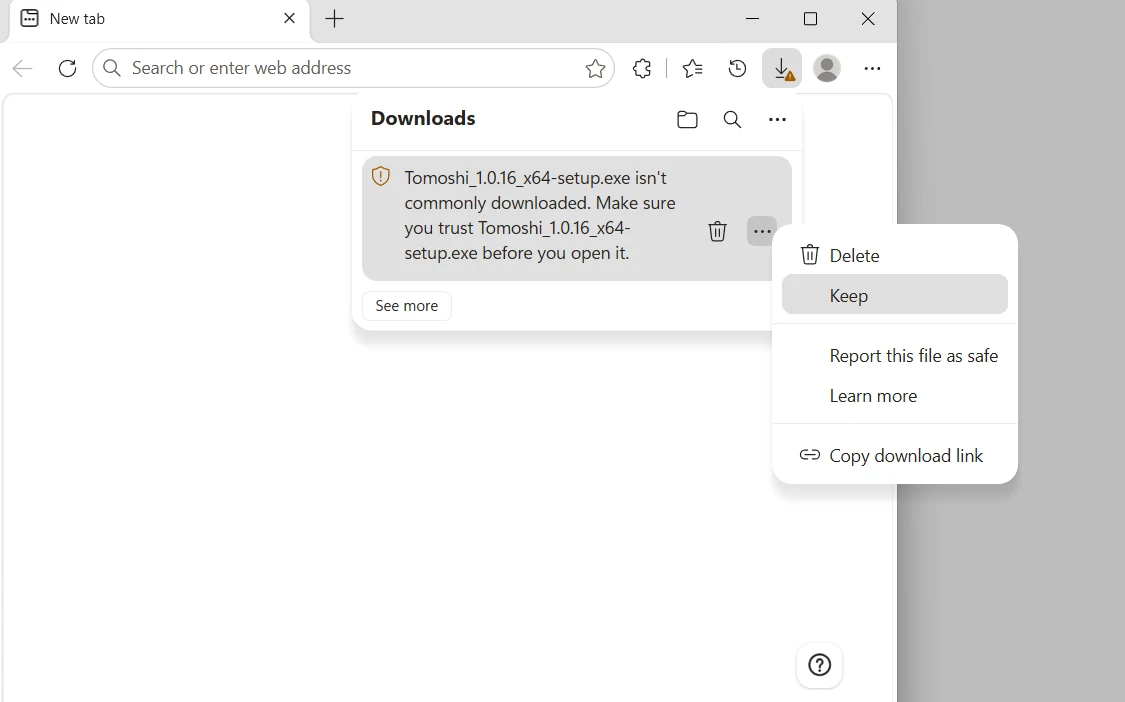
On download, Edge says the file “isn’t commonly downloaded” — two clicks
First click the “⋯” on the download item and choose Keep:
A confirmation window then appears. Keep anyway is hidden behind the dropdown arrow next to the “Delete” button — open it, choose that, and the download is done:
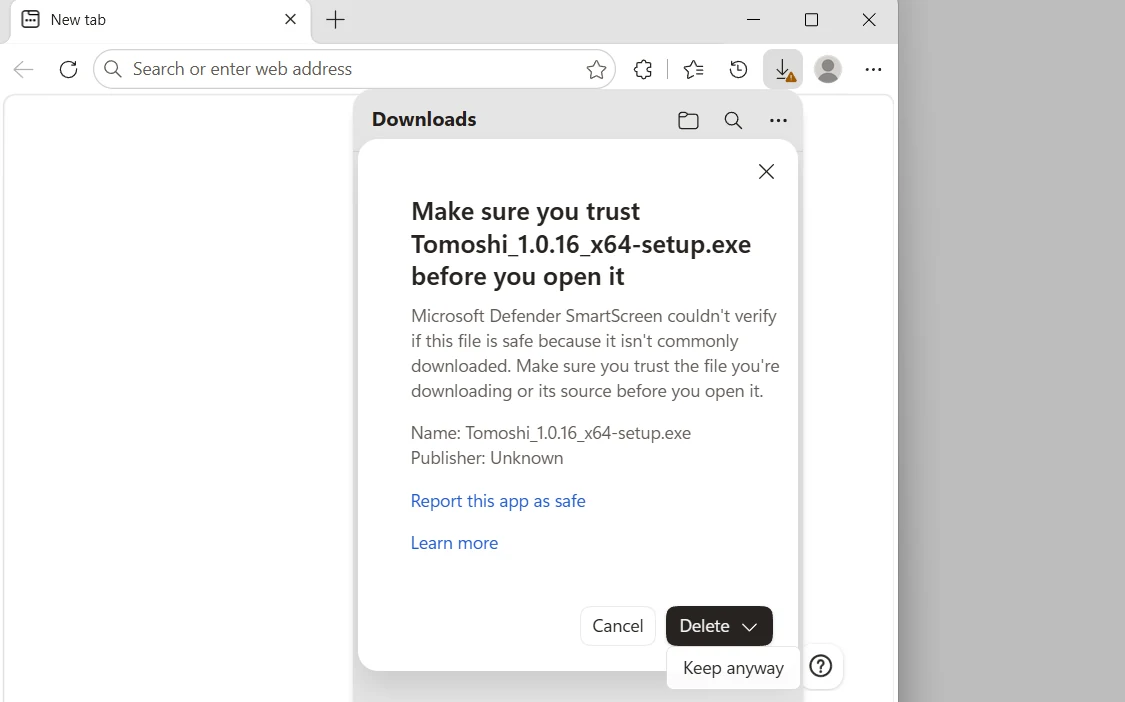
Some builds of Edge have a bug at this step: clicking the arrow next to “Delete” does not open the menu but deletes the file outright. You do not have to start over — close Edge and reopen it, press Ctrl+J for the downloads list, click Retry on that item and walk through the two steps again: this time the arrow opens “Keep anyway” properly. If the item has disappeared from the list, just come back to this page and download again.
On first run, SmartScreen steps in
When you double-click the installer, Windows SmartScreen puts up a dialog. Click More info, then Run anyway.